What CRM Do SDR Teams Actually Like Using? A Practical Guide
A practical guide to CRM selection for SDR teams, covering the features reps actually use, why most CRMs create friction instead of removing it, and how AI is changing the admin equation.

What CRM Do SDR Teams Actually Like Using? A Practical Guide
Ask any SDR what they think of their CRM and you'll get a version of the same answer: it's fine, but I barely use it. That's not laziness. That's a design problem.
Most CRMs were built for managers who need to see data, not for reps who need to move fast. The result is a tool that generates reports nobody trusts because the people feeding it data don't have time to feed it correctly. If you're evaluating a CRM for SDR teams, the most important question is not which platform has the most features. It's which one SDRs will actually use on a Tuesday afternoon between calls.
This guide covers what SDRs genuinely care about, where most CRMs create friction, and what to look for if you want adoption rates that hold past the first training session.
What SDRs Actually Care About in a CRM
SDR work has a rhythm that's different from account executives or customer success. The day is high-volume, repetitive, and context-switching constantly. A rep might touch 40 to 80 prospects in a single day across email, LinkedIn, and phone. The CRM's job in that context is to make each of those touchpoints faster, not slower.
What that means in practice: SDRs want to know who to contact next, what to say, and whether anything has happened since the last touch. They don't want to figure that out from a list of undifferentiated records sorted by date added.
The specific things SDRs consistently care about in a sales development CRM are relatively consistent. Task queues that surface the next action without requiring the rep to go hunting. Sequence status visible at the record level so they don't need to open another tab. Context on the last interaction, even if it happened on a different channel. And the ability to log something quickly when they're between conversations, not in a ten-minute end-of-day admin session.
What they don't care about: dashboards with company-wide pipeline metrics, complex field hierarchies, and reporting modules. Those are manager tools. SDRs need ground-level visibility on their own queue.
One thing worth saying directly: SDRs are not opposed to CRM use on principle. They're opposed to CRM use that adds friction without adding value. When the system makes their day easier, adoption is not a problem.
Why SDRs Hate Most CRMs: The Friction Problem
The CRM adoption problem is structural, not behavioral. Most companies address it with more training. The adoption rate picks up for about a week, then quietly reverts. This pattern repeats indefinitely until the team either gives up on the CRM or starts maintaining a parallel spreadsheet that does the same job with less resistance.
The root cause is that most CRMs were designed around the assumption that reps will sit at a desk, open the platform, and update records before and after every interaction. That assumption was always fragile. For SDRs, it's almost entirely wrong. SDRs send messages from LinkedIn, have WhatsApp exchanges with prospects who gave them a number, get email replies while on the phone, and often update notes from their phones between meetings. None of that fits the browser-first, field-by-field entry model.
The friction compounds over time. A rep skips one update because they're busy. Then another. After two weeks, the CRM data for that rep is thin enough that it stops being useful for anyone, including the rep themselves. At that point, the CRM becomes a reporting obligation rather than a working tool, and the rep starts to resent it.
There's a second friction point that gets less attention: the gap between channels. Most CRMs sit separately from the channels SDRs use to actually prospect. When a LinkedIn message gets a reply, the rep has to manually transfer that context into the CRM. When a WhatsApp thread goes three messages deep, none of it shows up in the deal record. Over time, the CRM picture of any given prospect becomes a partial reconstruction of what actually happened, and partial reconstructions are not reliable enough to trust.
The AI native CRM conversation matters here because the gap between channels is exactly what AI-native architecture is designed to close. If conversations auto-log, context doesn't die between tools.
CRM Features That Make SDR Lives Easier
If you're evaluating a CRM for outbound reps, these are the features that genuinely move the needle on daily usability, not the ones that look impressive in a demo.
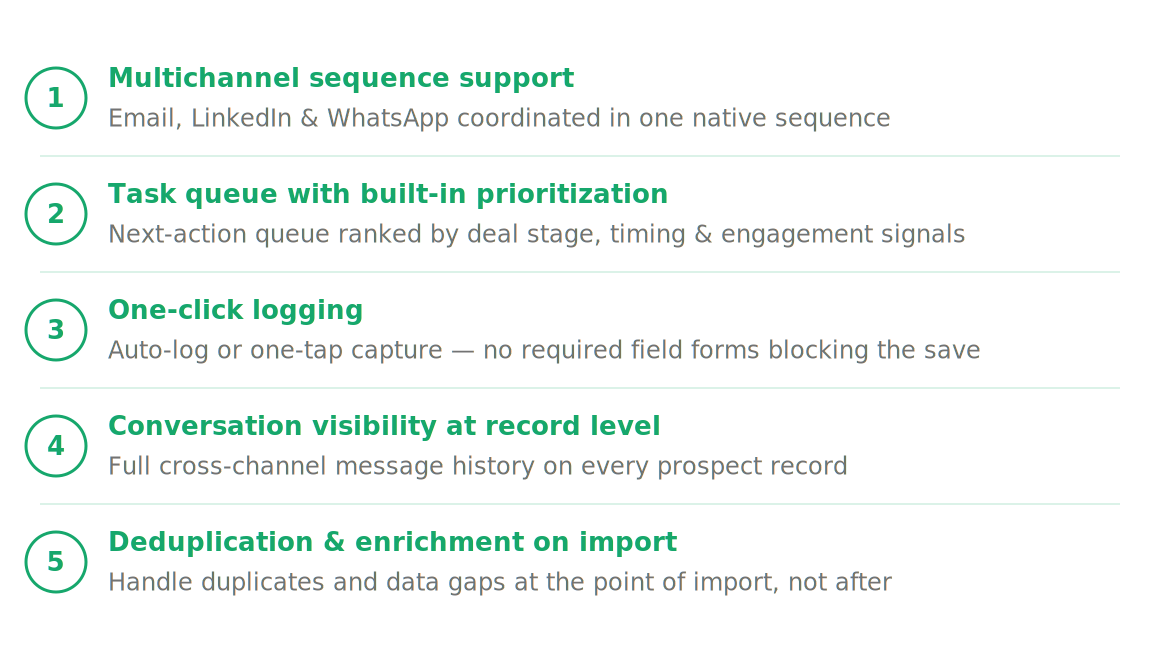
Multichannel sequence support. Email-only sequences were fine in 2018. SDRs now work across email, LinkedIn, and increasingly WhatsApp, especially in markets outside North America. A sequence tool that lives inside the CRM and coordinates all three channels is genuinely different from a standalone email sequencer bolted on via Zapier. The former keeps context in one place. The latter creates the exact fragmentation problem described above.
Task queue with built-in prioritization. Not a flat list of due tasks. A queue that tells the rep what to do next based on some combination of deal stage, time since last touch, engagement signals, and sequence step. SDRs should be able to open their CRM and start working, not spend the first 20 minutes figuring out who to call.
One-click logging. The faster a rep can capture a note or update a stage, the more likely they are to do it. The ideal is a system where the update happens automatically as a byproduct of the conversation. The next best is voice note or text-based logging from a mobile device. The worst is a required field form that must be completed before the record saves.
Conversation visibility at the record level. When a rep opens a prospect record, they should see the full history of what was said across every channel, in one place. Not a note that says "emailed on Tuesday" with no content. The actual exchange.
Deduplication and enrichment on import. SDRs spend time they should not be spending cleaning import files and merging duplicate records. Any CRM worth using for an SDR team should handle this at the point of import, not push it to the rep as a cleanup task. The lead enrichment problem is not glamorous but it eats real time.
AI Features SDRs Actually Use vs Features They Ignore
Every CRM platform now claims AI capabilities. Most of what gets called AI in a CRM context is a chatbot help widget, a suggested email subject line, or a sentiment score that appears on a dashboard nobody opens. SDRs develop a feel for this quickly. The features they actually engage with are the ones that remove a step they were previously doing manually.
The AI features that SDRs consistently find useful are automatic conversation logging, next-step suggestions grounded in actual deal history, and lead scoring that reflects recent activity rather than static demographic data. These are useful because they replace a decision or a data entry task, not because they add a new capability layer on top of an already crowded interface.
AI-generated email copy is genuinely debated. Some reps find it useful as a starting point for high-volume personalization. Others find it generic enough to be worse than starting from scratch. The honest position is that it depends heavily on the quality of the underlying data the AI is reading. A template personalized from a rich contact record reads differently from one personalized from a name and company field.
The AI features SDRs largely ignore: predictive analytics dashboards that require a manager to interpret, AI deal scoring on closed-lost records that aren't actionable, and chatbot assistants that answer questions about how to use the CRM rather than helping with the sales work itself.
One AI capability that does get used when it exists: a system that reads across all conversations on a record and produces a brief summary of where the deal stands, what concerns have been raised, and what the logical next step is. For handoffs between reps, or for catching up on a deal after a week away, this saves 20 minutes per record. At the team level, that adds up fast.
Dalil's Dalil Brain works this way. It reads all attached emails, LinkedIn DMs, WhatsApp threads, and notes on a record, then generates a three-card summary covering the person, the company, and the opportunity. It's the kind of feature that sounds minor until a rep uses it before a discovery call they booked three weeks ago.
Top CRM Options for SDR Teams Compared
There is no universal answer here, and anyone who tells you otherwise is selling something. The right CRM for SDR teams depends on your primary outreach channels, team size, and how much of your sales motion happens outside email. Below is a practical rundown of the main options and where each one fits.
Salesforce Sales Cloud. The market leader for a reason. Deep customization, strong reporting, wide integration ecosystem. The problem for SDR teams is setup complexity and the fact that daily usability is often an afterthought. Salesforce is an excellent system of record. It is a mediocre system of action for high-volume outbound reps. Teams that use Salesforce for SDRs typically layer a dedicated sales engagement tool on top, which means more cost and more context fragmentation.
HubSpot Sales Hub. More SDR-friendly than Salesforce out of the box. Good email sequence tooling, clean UI, and solid Gmail and Outlook integration. The limitations surface when you need LinkedIn or WhatsApp as primary outreach channels, which is increasingly common for teams selling into MENA, Southern Europe, or Southeast Asia. Native support for those channels is limited, and adding them via integrations reintroduces the fragmentation problem.
Outreach.io and Salesloft. Purpose-built for SDR outreach workflows. Strong sequence tooling, good analytics on engagement, and built-in dialer functionality. The gap is that neither is a full CRM. Both are designed to sit on top of Salesforce or HubSpot rather than replace them. That means SDRs end up with two tools they need to keep in sync, which is its own adoption challenge.
Close CRM. Strong choice for phone-first SDR teams. The built-in power dialer and call logging are best-in-class, and the interface is genuinely designed around rep workflow rather than manager reporting. The gap is LinkedIn and WhatsApp. Teams doing multichannel outbound will hit those limits relatively quickly.
Dalil AI. Built specifically for multichannel outbound teams where conversations happen across email, LinkedIn, and WhatsApp. Sequences run natively across all three channels with conditional branching. Ask Dalil lets reps update the CRM by voice note or text from WhatsApp, which is the closest thing to eliminating data entry that currently exists. Dalil Brain generates record-level deal summaries from all conversations. The tradeoff worth being honest about: Dalil is newer, so the third-party integration ecosystem is smaller than Salesforce or HubSpot. Teams that depend on deep integrations with legacy systems should account for that.
For most SDR teams doing multichannel outbound, the realistic choice is between a purpose-built platform like Dalil or a combination of HubSpot plus a sales engagement tool. The former keeps context centralized. The latter requires managing two systems. Pipeline management and outreach in the same platform is not a luxury for SDR teams. It is the difference between a CRM that gets used and one that gets worked around.
FAQ Section
What CRM do SDR teams prefer?
There is no single consensus answer, but the pattern is consistent: SDRs prefer CRMs where daily tasks are surfaced for them rather than requiring manual navigation, and where logging an update takes seconds rather than minutes. HubSpot gets decent marks for usability in email-heavy environments. Dalil gets strong reviews from teams doing multichannel outbound across LinkedIn and WhatsApp. Salesforce is respected but rarely loved at the rep level.
Why do SDRs resist using CRM software?
Resistance is almost always a response to friction, not indifference to the tool's value. When a CRM requires manual entry after every touchpoint, forces reps to switch between the CRM and their actual outreach channels, and delivers nothing useful in return for that effort, resistance is rational. The fix is removing the data entry burden, not adding more training sessions.
What CRM features matter most for outbound SDRs?
Priority order for most outbound SDR teams: native multichannel sequence support across email, LinkedIn, and WhatsApp; automated conversation logging that captures what was said without rep input; a task queue that surfaces next actions rather than listing everything due; and quick mobile logging for reps who aren't desk-bound. Everything else is secondary.
Can AI reduce CRM admin work for SDRs?
Yes, but only when the AI is doing genuine work rather than generating suggestions the rep still has to manually act on. Automatic conversation capture across channels, record-level deal summaries, and voice-based CRM updates are the AI capabilities that demonstrably reduce admin load. Most "AI" features in legacy CRMs add a recommendation layer without removing any steps from the rep's workflow. That's not a reduction in admin work. It's a new dashboard to ignore.
More from the blog

Best Outreach Tools in 2026: How to Choose the Right Platform for Your Sales Team
A practical buyer's guide to outreach tools in 2026, covering what to look for, how leading platforms compare, and when to consolidate into a CRM-native outreach system instead.

CRM for Logistics and Freight: How to Track Deals When Everything Runs on WhatsApp
Logistics and freight teams run deals on WhatsApp, but no conversation gets captured in a CRM. This guide explains how to fix that without changing how your team works.

Multichannel Sales: How to Run Email, LinkedIn, and WhatsApp Outreach from One Place
A practical guide to running email, LinkedIn, and WhatsApp outreach from a single system, covering how the three channels work together and what it takes to measure and manage them without losing context.